
Deleting Your IMPACT Account
Dikemas kini: 3 Jul 2026
Deleting Your IMPACT Account
You can delete your account either via Mobile App or Desktop App.
Delete via Mobile App
- Launch the IMPACT app.
- In the landing screen, tap on your profile area.
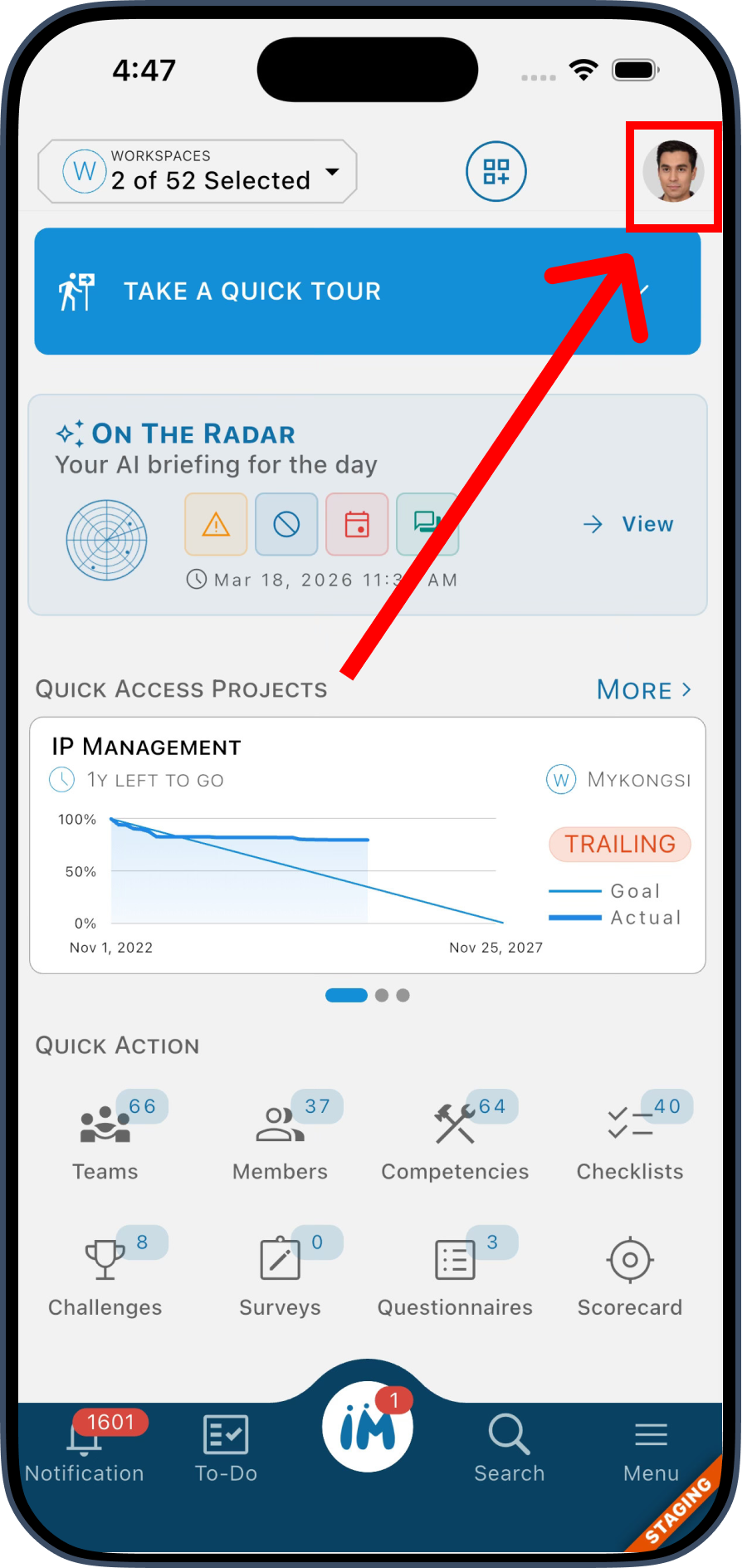 3. In your profile overview screen, tap on your profile area again.
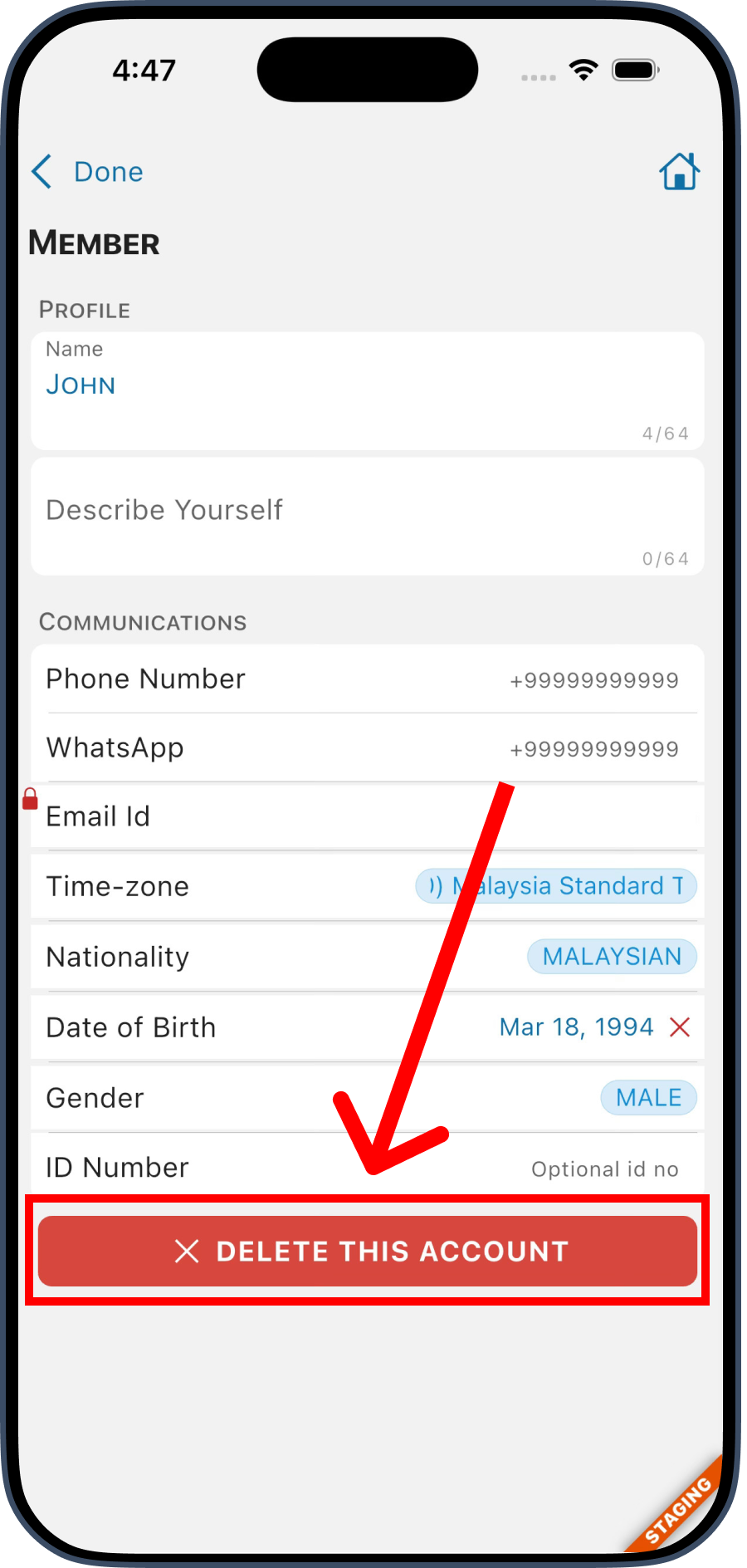
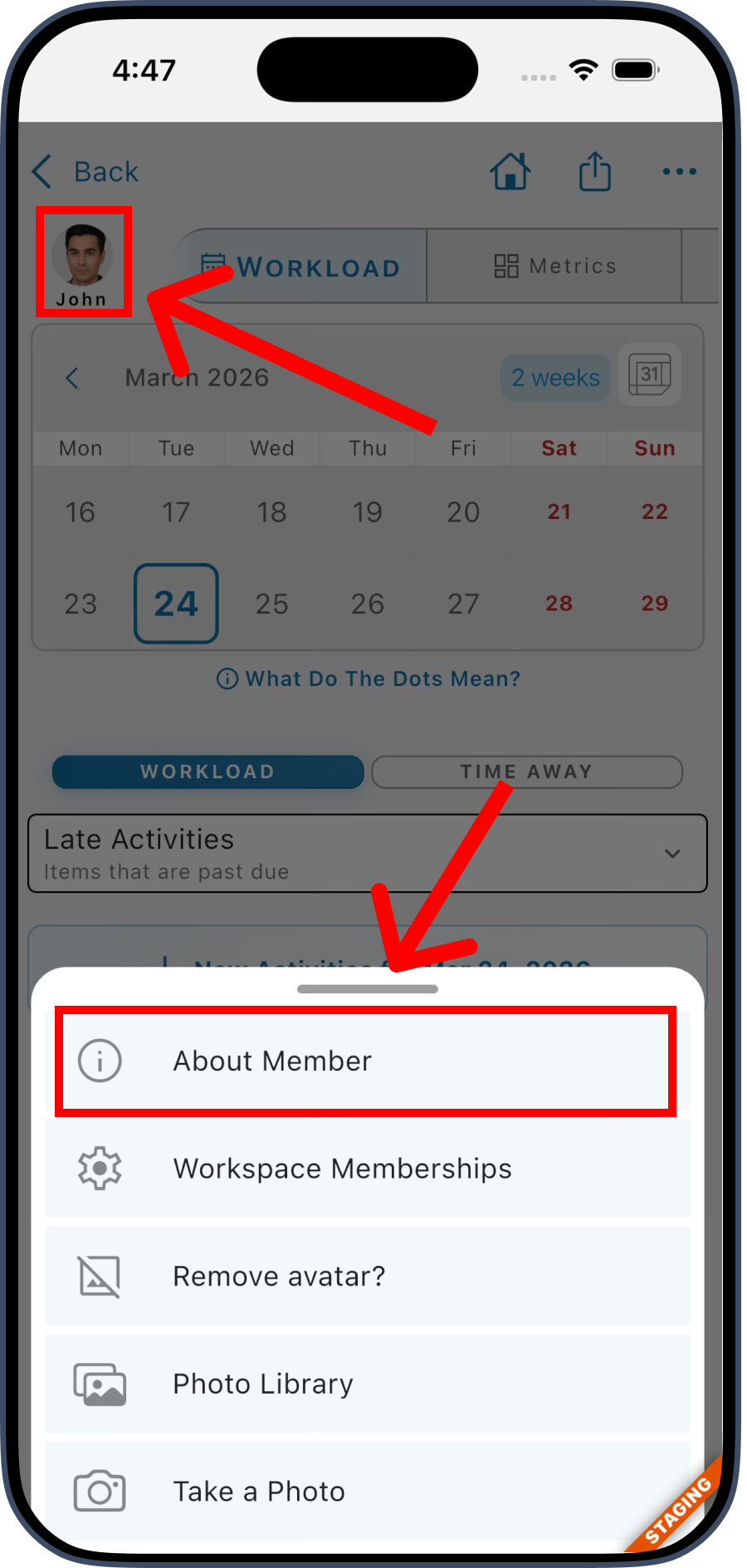 4. Once you get into your account setting screen, you can delete your account from here.
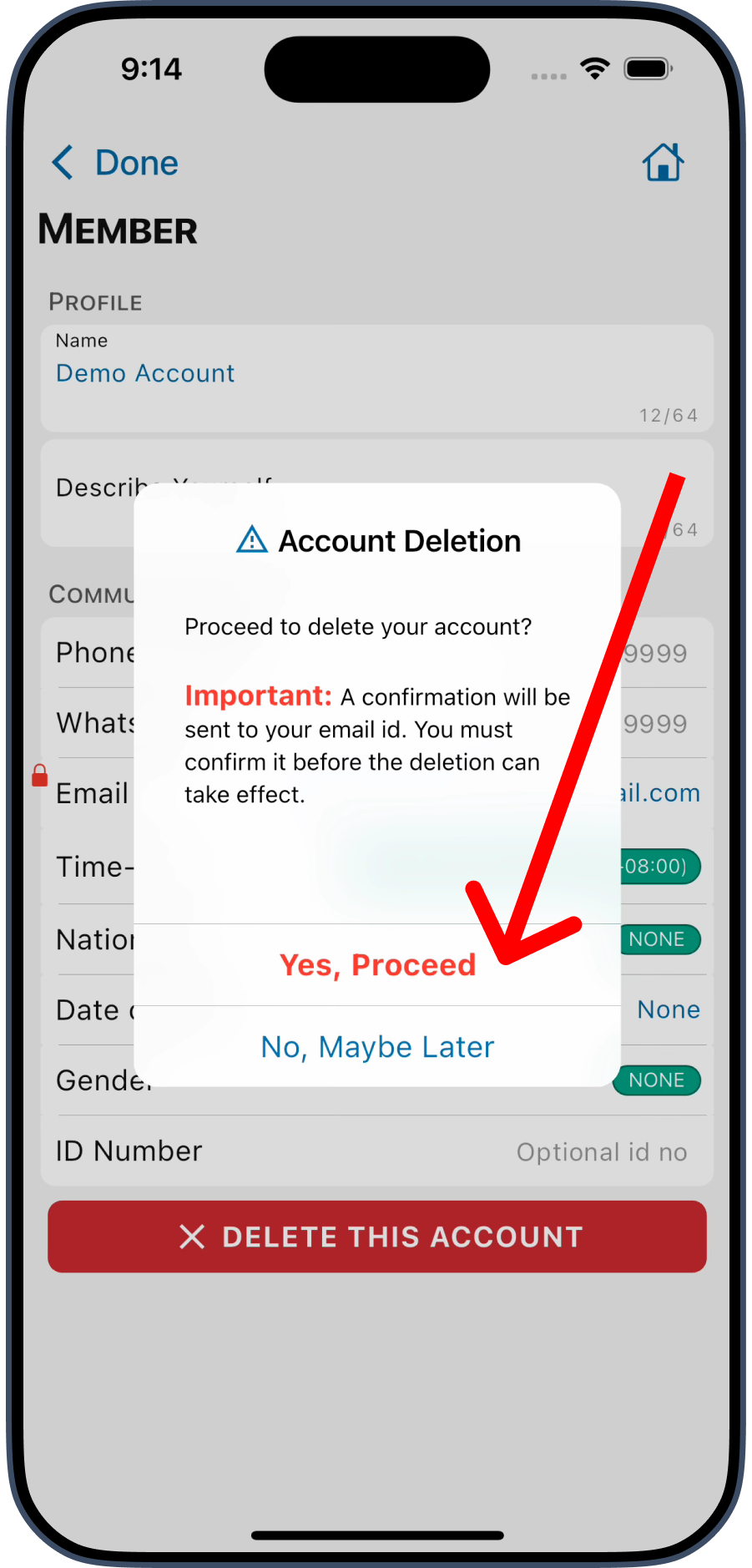
 5. Lastly, confirm your action.
Delete via Desktop App
- Launch the IMPACT app.
- In the landing screen, expand the menu from top right corner and choose "Account".
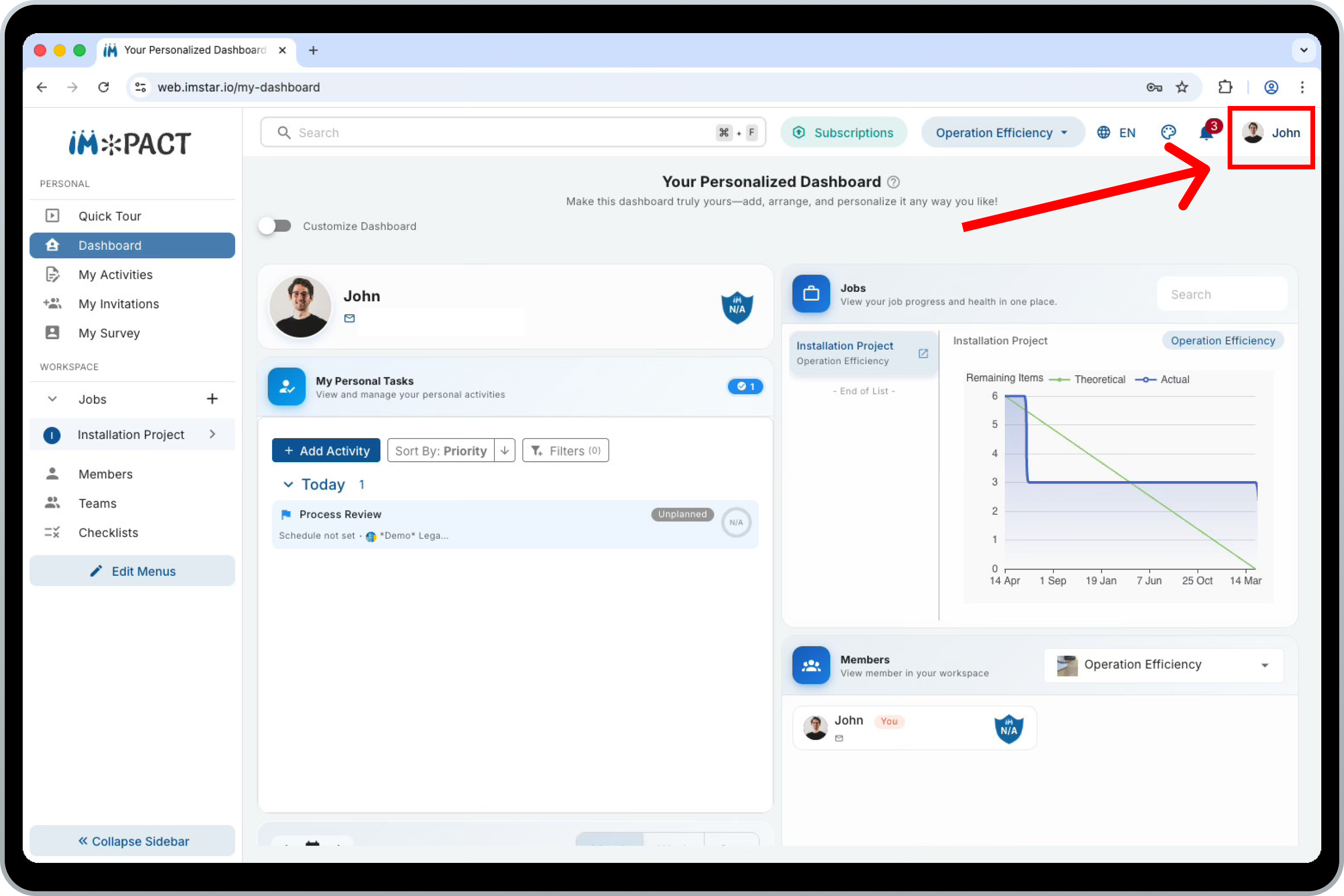 3. In your account screen, the delete button is available at the bottom of the screen.
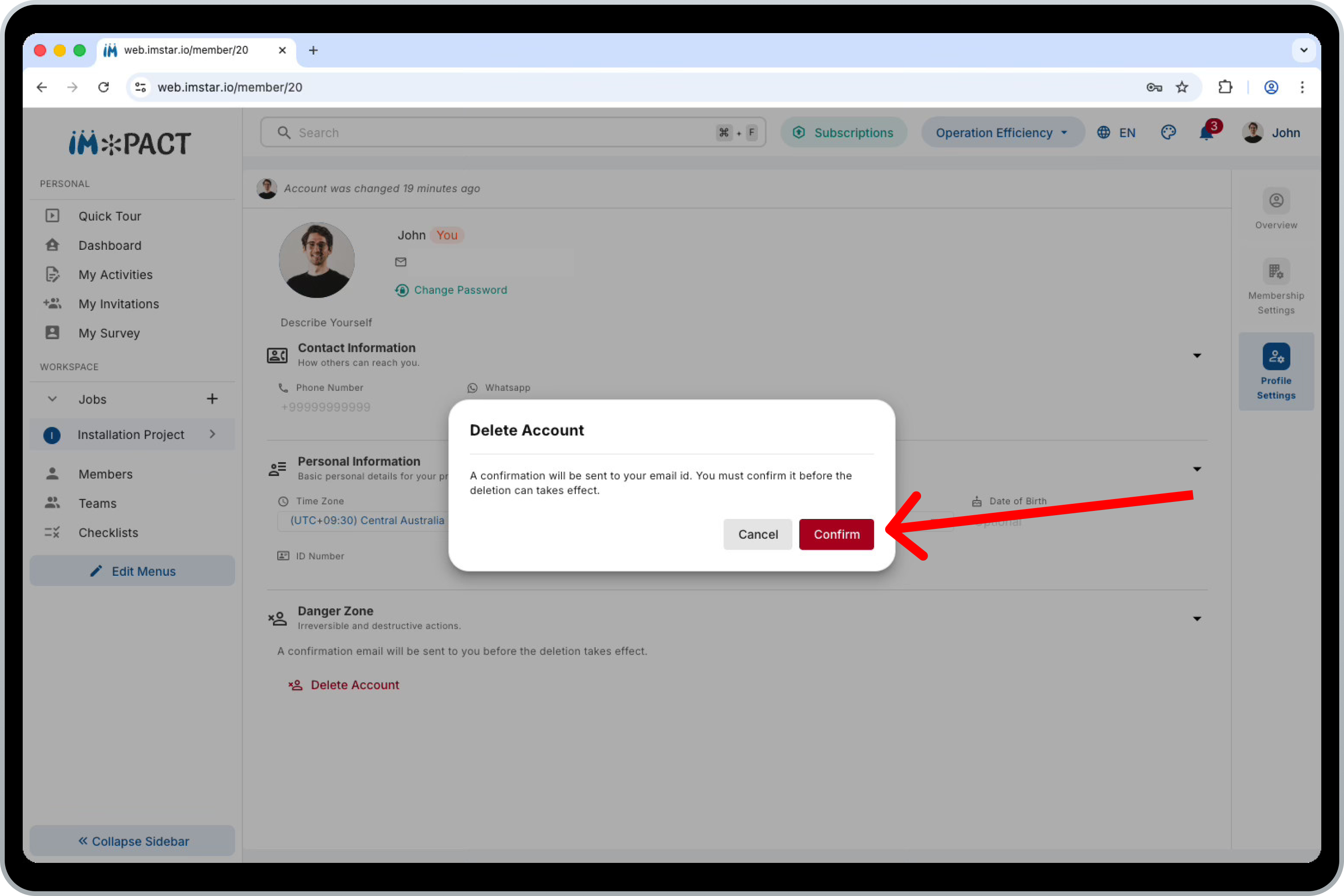
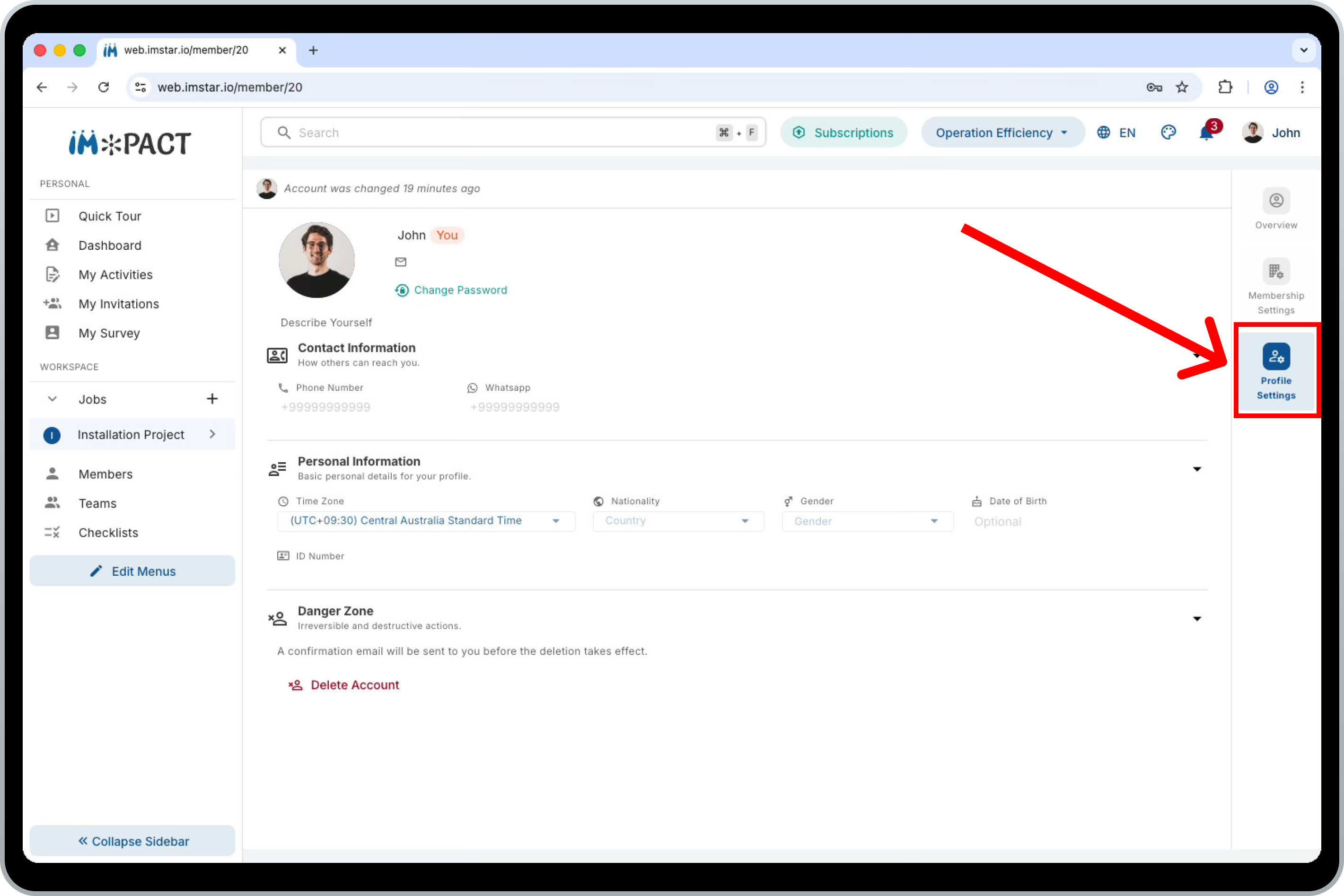 4. Lastly, confirm your action.
Email Confirmation
- Once you confirmed the deletion, an confirmation email will send to your account's email.
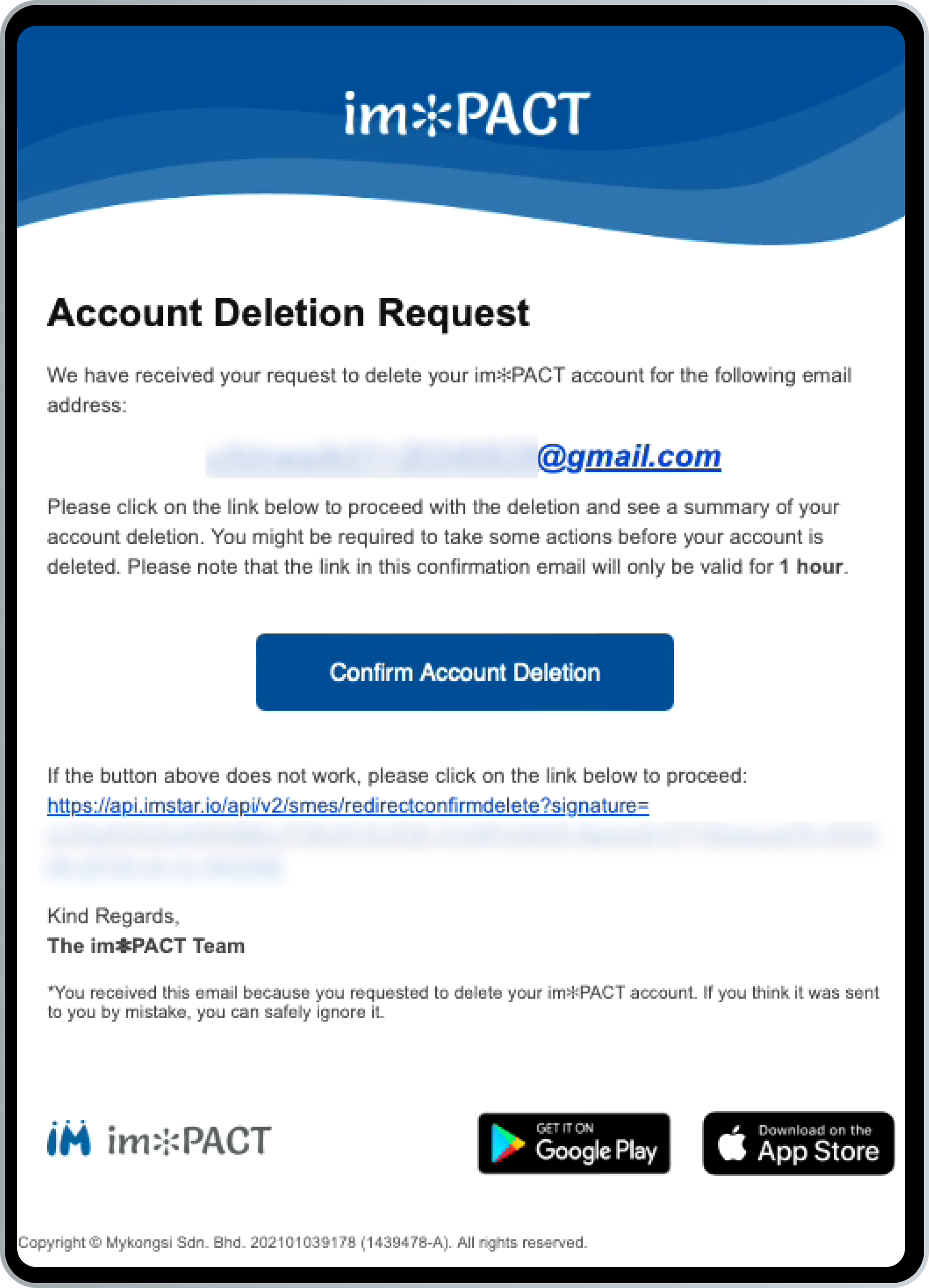 2. Tap on the "Confirm Account Deletion" button, it shall bring you the mobile app or desktop app.
3. A summary of data owned by you will be listed, once your account deleted, the following related records will be deleted as well: Workspaces Subscriptions Marketplace Shops
4. You can either transfer the ownership of the records or proceed to delete them in this summary screen.
2. Tap on the "Confirm Account Deletion" button, it shall bring you the mobile app or desktop app.
3. A summary of data owned by you will be listed, once your account deleted, the following related records will be deleted as well: Workspaces Subscriptions Marketplace Shops
4. You can either transfer the ownership of the records or proceed to delete them in this summary screen.
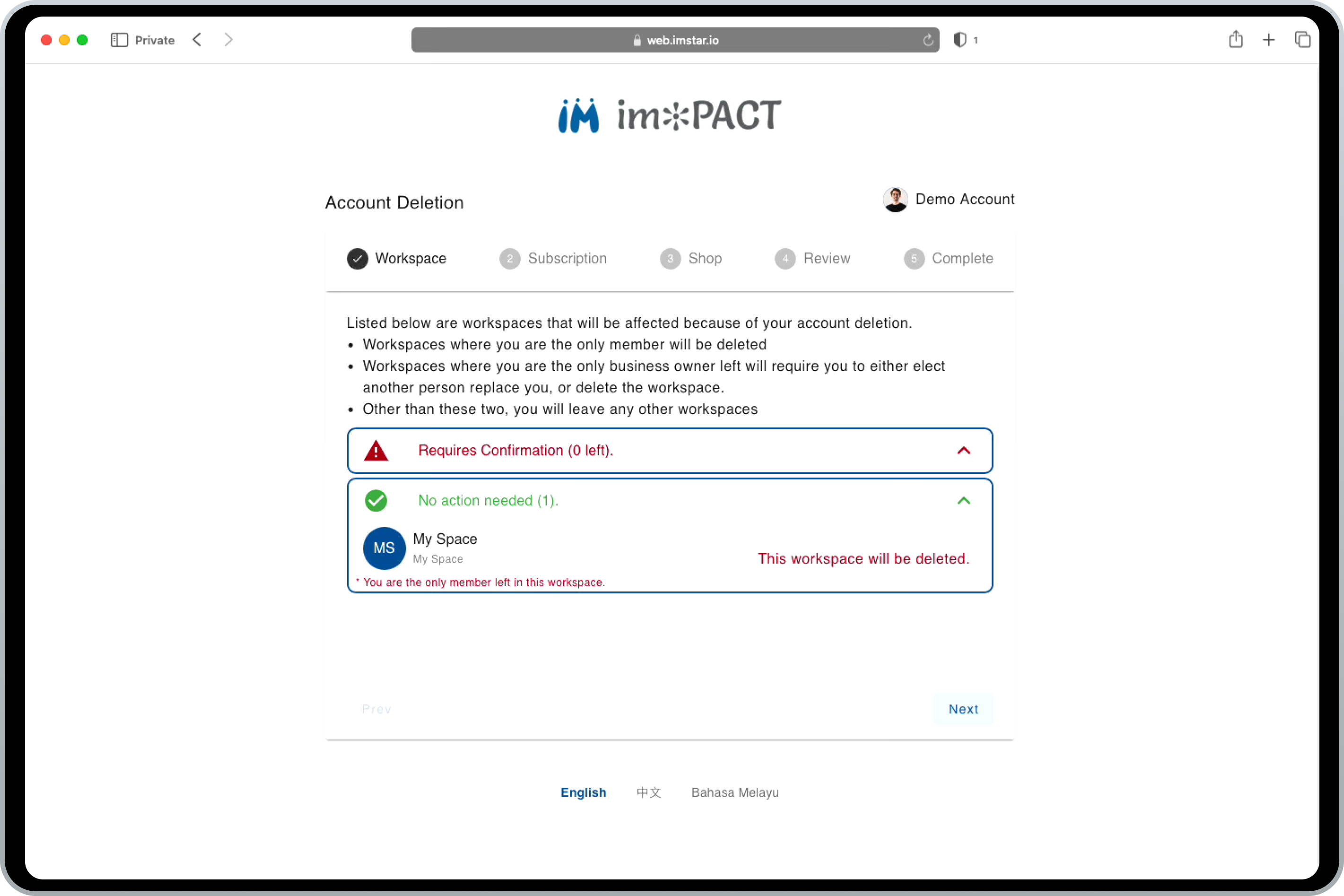 5. Once you confirm every actions, you can proceed to delete your accounts.
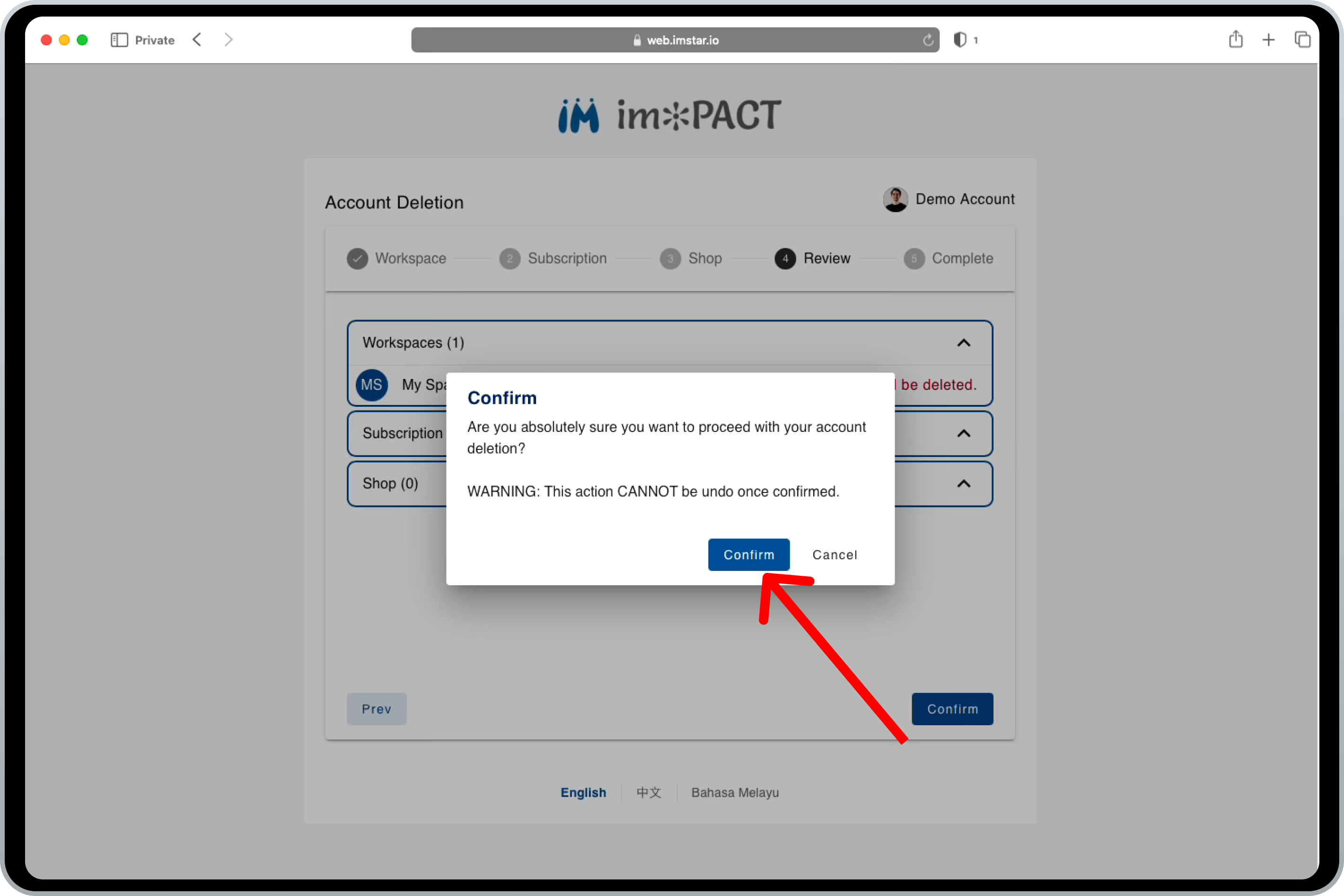 6. That's all for the account deletion, your account details is now permanently deleted, thanks for reading.