Creating Your First Shop
最后更新: 2026年7月3日
Creating Your First Shop
Once you have successfully registered your account, it is time to create your first shop!
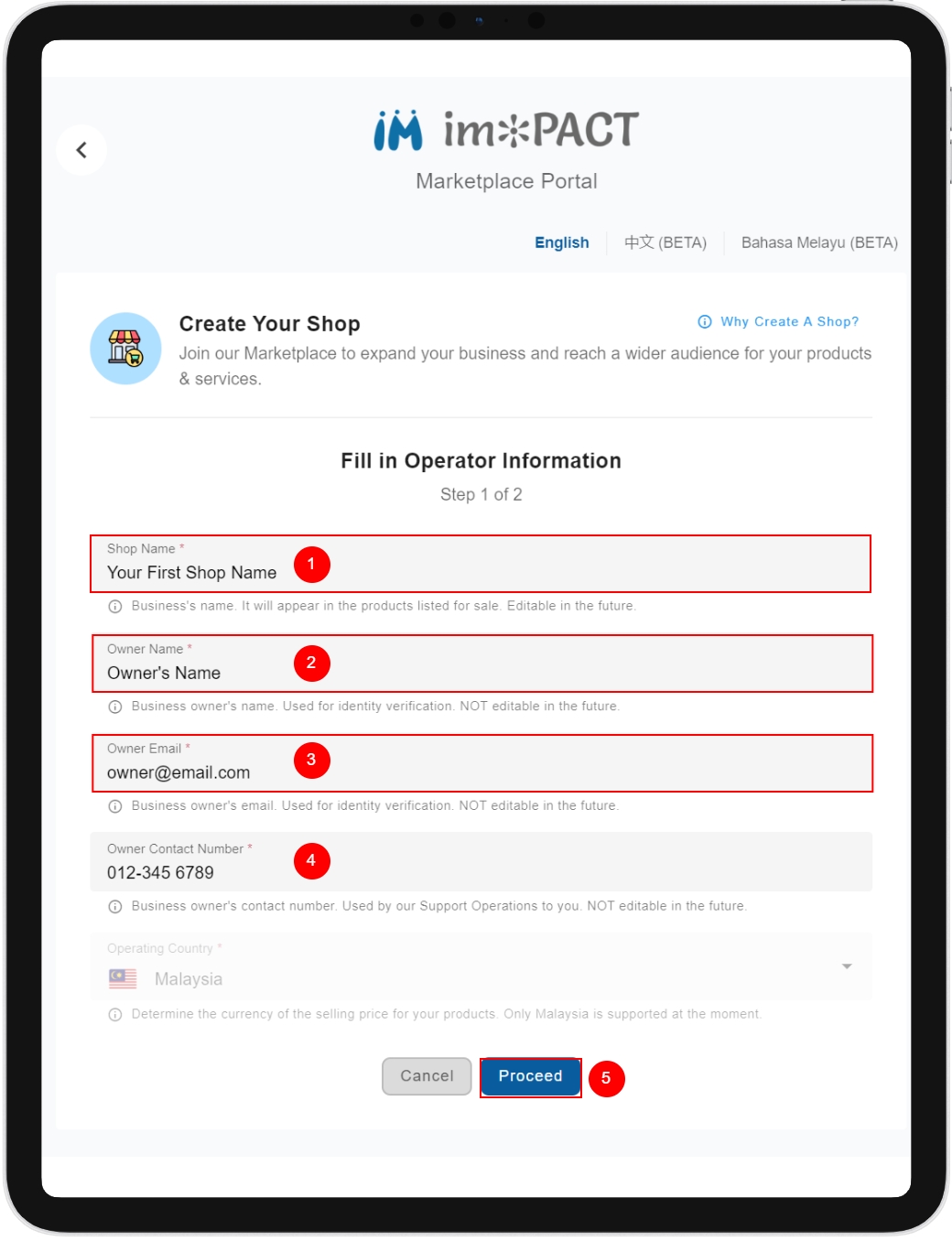
- You will be greeted with the following screen: **Shop Name:
 ** You can specify a shop name of your choosing. It should reflect the products you are trying to list in the marketplace. You can update your shop name at any time.
Owner Name: This is the beneficial owner of this shop. We will use this information for identification purposes. You are not to change this information once the shop is created.
**Owner Email:
** You can specify a shop name of your choosing. It should reflect the products you are trying to list in the marketplace. You can update your shop name at any time.
Owner Name: This is the beneficial owner of this shop. We will use this information for identification purposes. You are not to change this information once the shop is created.
**Owner Email:
 ** This is the beneficial owner's email address. We will use this to contact the owner. You are not to change this information once the shop is created.
**Owner Contact Number:
** This is the beneficial owner's email address. We will use this to contact the owner. You are not to change this information once the shop is created.
**Owner Contact Number:
 ** This is the beneficial owner's contact number. We will use this to contact the owner. You are not to change this information once the shop is created.
**Proceed Button:
** This is the beneficial owner's contact number. We will use this to contact the owner. You are not to change this information once the shop is created.
**Proceed Button:
 ** Pressing this button would show you a review of what you have specified.
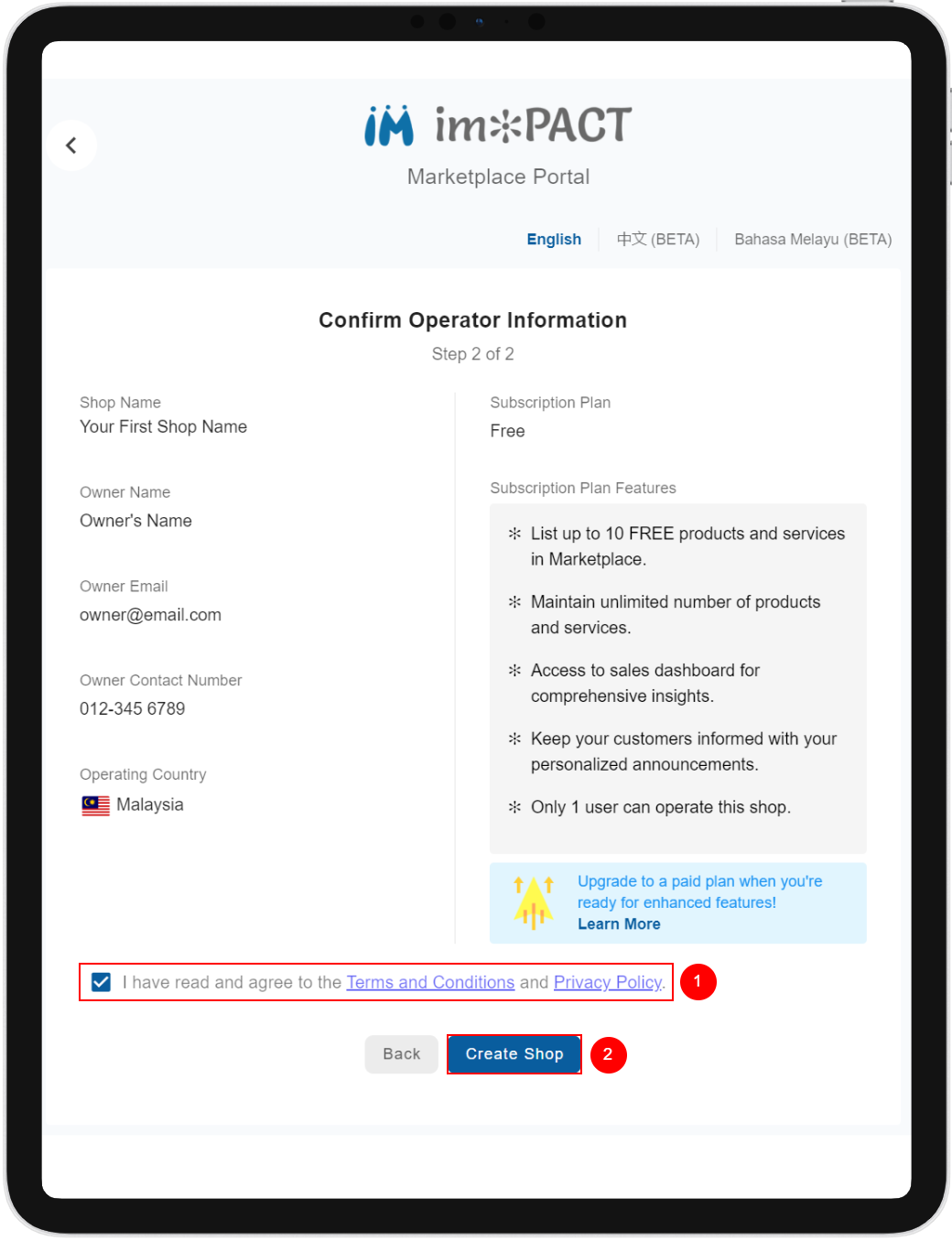
 2. Review what you have specified before creating your shop.
**Terms and Conditions and Privacy Policy:
** You are required to acknowledge that you have read and agree to our terms and policies.
Create Shop Button: Pressing this button will create your shop.
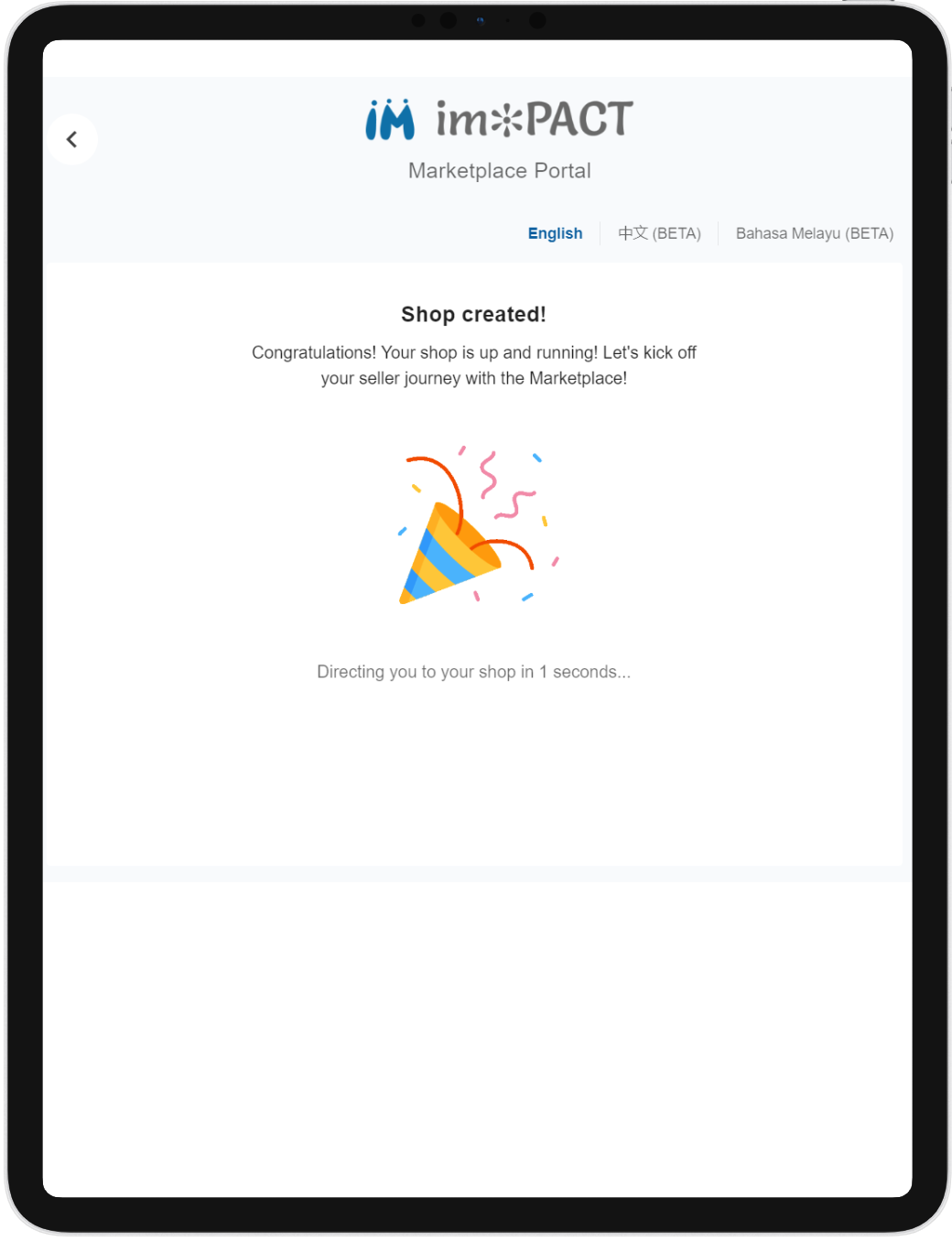
3. Congratulations! You have created your shop. You can now curate and sell your products.